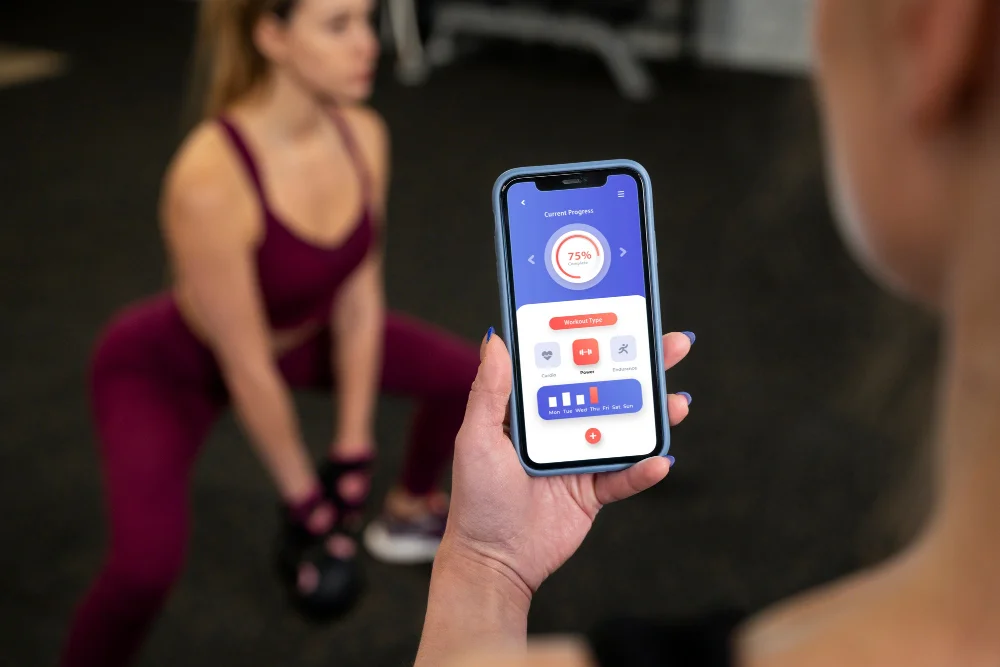
First Timer’s Guide to Agile Mobile Development: Exploring the different phases of mobile app development
Learn moreSwipe to Check More


In today’s fast-evolving digital landscape, application software has become the backbone of modern businesses. Whether you are running a startup, a mid-sized company, or a large enterprise, the right software solutions can significantly impact your efficiency, productivity, and overall growth.
From managing customer relationships to automating internal operations, businesses rely heavily on different types of application software to stay competitive. However, with so many options available, choosing the right software can often feel overwhelming.
Many business owners and decision-makers struggle with questions like:
If you are facing similar challenges, this comprehensive guide is designed for you.
In this detailed blog, you will learn:
Additionally, if you are planning to build a scalable and future-ready solution, investing in professional Mobile App Development, CRM Development, ERP Development, or complete Software Development services can help you create tailored applications aligned with your business goals.
Application software refers to programs or software solutions designed to help users perform specific tasks. Unlike system software, which operates the computer system, application software directly interacts with users to fulfill their needs.
In simple terms:
Application software = Tools that help users get their work done efficiently
Understanding the difference between application software and system software is essential:
| Feature | Application Software | System Software |
|---|---|---|
| Purpose | Performs user-specific tasks | Runs and manages the system |
| User Interaction | Direct interaction | Indirect interaction |
| Examples | MS Excel, CRM, Mobile Apps | Windows, Linux, macOS |
| Dependency | Depends on system software | Runs independently |
You interact with application software every day, often without realizing it. Some common examples include:
Each of these tools is designed to perform a specific function, making tasks faster and more efficient.
Businesses today are moving beyond generic tools and adopting custom application software tailored to their workflows. This is where professional Software Development services play a crucial role in building scalable and business-specific solutions.
Application software is no longer just a support tool—it has become a critical driver of business growth and innovation.
Manual processes are time-consuming and prone to errors. Application software helps automate repetitive tasks, reducing human effort and increasing efficiency.
For example:
With the right tools in place, employees can focus on high-value tasks instead of repetitive work. Productivity software and business applications streamline workflows and improve team performance.
Customer expectations are higher than ever. Businesses need to provide fast, personalized, and seamless experiences.
Using tools like CRM systems or mobile applications allows companies to better understand and serve their customers. Investing in professional CRM Development can significantly improve customer engagement and retention.
Modern application software provides real-time data insights that help businesses make informed decisions.
Examples include:
As your business grows, your processes become more complex. Application software allows you to scale operations without losing efficiency.
Enterprise-level solutions like ERP systems help manage large-scale operations seamlessly. With the right ERP Development, businesses can integrate multiple functions into a single platform.
Businesses that leverage advanced application software can outperform competitors by:
Application software can be categorized into different types based on functionality, usage, and business requirements. Each type serves a specific purpose and plays a crucial role in improving efficiency, automation, and user experience.
Understanding these categories will help you choose the right software solution for your business and identify opportunities where custom development can create a competitive advantage.
Business application software is specifically designed to manage and automate business operations. These tools are essential for organizations that want to streamline workflows, reduce manual effort, and improve overall efficiency.
Key Features:
Common Examples:
Real-World Use Cases
For example, a growing company dealing with hundreds of customers daily cannot manually track interactions. A CRM system helps manage customer data, track communication, and improve sales performance.
Similarly, businesses handling complex operations across departments rely on ERP systems to integrate finance, HR, inventory, and operations into a single platform.
Why Businesses Need It
Without proper business application software, companies often face:
This is why many organizations are shifting towards customized solutions instead of generic tools.
Productivity software is designed to help individuals and teams perform daily tasks more efficiently. These tools are widely used across industries for documentation, data management, collaboration, and task organization.
Key Features:
Common Examples:
Real-World Use Cases
A marketing team uses productivity tools to create content, manage campaigns, and track performance. Similarly, corporate teams rely on spreadsheets and presentations for reporting and decision-making.
Benefits for Businesses
Communication software enables seamless interaction between individuals, teams, and customers. In today’s remote and hybrid work environment, these tools have become essential.
Key Features:
Common Examples:
Real-World Use Cases
Remote teams use communication tools for daily meetings, project discussions, and file sharing. Customer support teams also rely on these platforms to provide quick responses and assistance.
Why It Matters
Effective communication directly impacts productivity and customer satisfaction. Without proper tools, teams may face delays, confusion, and reduced efficiency.
Web browsers are one of the most commonly used types of application software. They allow users to access, retrieve, and interact with information available on the internet.
Key Features:
Common Examples:
Real-World Use Cases
From accessing business dashboards to using SaaS tools, almost every online activity depends on web browsers.
Importance for Businesses
Multimedia software is used for creating, editing, and managing audio, video, and image content. These tools are widely used in marketing, entertainment, and creative industries.
Key Features:
Common Examples:
Real-World Use Cases
Businesses use multimedia software for:
Business Benefits
Educational software is designed to facilitate learning, training, and skill development. With the rise of digital education and online learning platforms, this type of application software has seen massive growth in recent years.
Key Features:
Common Examples:
Real-World Use Cases
Schools, colleges, and training institutes use educational software to deliver structured learning programs. Businesses also use these tools for employee training and onboarding.
For example:
Benefits
Entertainment software is designed to provide fun, relaxation, and engagement to users. This category includes gaming applications, streaming platforms, and interactive media.
Key Features:
Common Examples:
Real-World Use Cases
Entertainment apps are among the most downloaded and frequently used applications worldwide. Businesses in this space focus heavily on user experience and engagement.
Business Perspective
Even though it seems non-business-oriented, entertainment software generates billions in revenue through:
Custom application software is specifically developed to meet the unique needs of a business or organization. Unlike off-the-shelf software, these solutions are tailored to specific workflows, goals, and operational requirements.
What Makes It Different?
Examples of Custom Software
Real-World Use Cases
Let’s say a logistics company has a unique delivery tracking system requirement. A generic tool may not fulfill all needs. In such cases, custom software helps build a solution exactly aligned with the business model.
Similarly, startups often build custom apps to create unique user experiences and stand out in the market.
Why Businesses Prefer Custom Software
When Should You Choose Custom Software?
You should consider custom application software if:
Strategic Advantage
Custom software allows businesses to innovate faster and adapt to changing market demands. It becomes a long-term asset rather than just a tool.
Enterprise application software is designed for large organizations to manage complex operations across multiple departments. These systems are robust, scalable, and capable of handling large volumes of data.
Key Features:
Common Examples:
Real-World Use Cases
Large enterprises use these systems to manage:
All within a single integrated platform.
Benefits
Mobile application software refers to applications specifically designed to run on smartphones and tablets. With the rapid growth of mobile users worldwide, mobile apps have become one of the most important types of application software for businesses.
Key Features:
Common Examples:
Real-World Use Cases
Businesses use mobile apps to directly connect with their customers. For example:
Why Mobile Apps are Crucial for Businesses
Business Insight
If your target audience is active on smartphones (which most are today), investing in mobile application software is no longer optional—it’s essential.
Web-based applications, also known as SaaS (Software as a Service), are applications that run on web browsers and do not require installation on devices.
Key Features:
Common Examples:
Real-World Use Cases
Businesses use web applications for:
Advantages for Businesses
Why SaaS is Growing Rapidly
The shift towards remote work and cloud computing has made SaaS applications one of the fastest-growing software categories globally.
Choosing between custom and ready-made (off-the-shelf) software is one of the most important decisions for any business.
Key Differences
| Feature | Custom Software | Off-the-Shelf Software |
|---|---|---|
| Development | Built from scratch | Pre-built |
| Flexibility | High | Limited |
| Cost | Higher initial cost | Lower upfront cost |
| Scalability | Highly scalable | Limited scalability |
| Features | Tailored to needs | Generic features |
Choose off-the-shelf software if:
Choose custom software if:
Selecting the right application software is crucial for business success. A wrong decision can lead to inefficiencies, wasted resources, and missed opportunities.
Start by identifying your requirements:
Choose software that can grow with your business. Avoid solutions that may become obsolete as you expand.
Balance between cost and value. Sometimes investing more upfront in the right solution saves money in the long run.
Ensure the software can integrate with your existing tools and systems.
A complex system can reduce productivity. Always prioritize ease of use and user-friendly design.
Make sure the software follows proper security standards to protect sensitive business data.
The world of application software is evolving rapidly. Staying updated with trends can help businesses stay ahead of the competition.
Artificial Intelligence is transforming how software works by enabling automation, personalization, and predictive analytics.
More businesses are shifting to cloud-based solutions due to flexibility and cost-effectiveness.
These platforms allow businesses to build applications faster without deep technical knowledge.
Modern software focuses on connecting multiple tools and automating workflows seamlessly.
With increasing cyber threats, security is becoming a top priority in software development.
In today’s competitive market, having the right technology partner can make all the difference. Building scalable, secure, and high-performance applications requires expertise, strategy, and innovation.
Corewave focuses on delivering customized application solutions that align perfectly with your business goals.
We don’t just build software—we create solutions that solve real business problems and drive growth.
Application software plays a critical role in modern business success. From productivity tools to enterprise systems and custom-built applications, each type serves a unique purpose.
Understanding the different types of application software helps you make informed decisions, optimize operations, and stay competitive in a rapidly changing digital landscape.
Whether you are a startup looking to build your first product or an enterprise aiming to scale operations, choosing the right software strategy is key to long-term success.
The future belongs to businesses that leverage technology effectively. Investing in the right application software today can define your success tomorrow.
The main types of application software include business software, productivity software, communication tools, web browsers, multimedia software, educational software, entertainment software, custom application software, enterprise software, mobile applications, and web-based (SaaS) applications.
Each type is designed to perform specific tasks and improve efficiency in different areas of personal and business use.
Application software refers to programs designed to help users perform specific tasks. These can range from simple tools to complex business systems.
Examples of application software include:
Application software is designed for end-users to perform specific tasks, while system software manages and operates the computer system.
For example, Windows is system software, whereas applications like Excel or mobile apps are application software that run on top of it.
Application software is essential for businesses because it helps automate processes, improve productivity, enhance customer experience, and enable data-driven decision-making.
It also allows businesses to scale efficiently and stay competitive in the digital market.
Custom application software is specifically developed to meet the unique requirements of a business. Unlike off-the-shelf software, it is tailored to specific workflows and goals.
It offers better flexibility, scalability, and long-term value compared to generic solutions.
Business application software includes tools that help manage operations and processes.
Common examples include:
SaaS (Software as a Service) refers to cloud-based applications that are accessed through a web browser without installation.
Examples include Google Docs, Dropbox, and Salesforce. These applications are popular because they are cost-effective, scalable, and accessible from anywhere.
To choose the right application software, you should:
Choosing the right software ensures long-term efficiency and growth.
Mobile application software helps businesses connect directly with their customers through smartphones.
It improves engagement, increases brand visibility, and provides personalized user experiences, leading to higher conversions.
It depends on your business needs. Off-the-shelf software is suitable for basic and standard requirements, while custom software is ideal for businesses with unique workflows and scalability needs.
Custom solutions provide more flexibility and long-term advantages.